
Do You Need a New CMS to Use an AI Agent?
You can connect an AI agent to WordPress today. The real question is which safeguards you need, and whether your CMS can provide them.Key takeawaysNo, not...
19 October 2026 · 5 min read
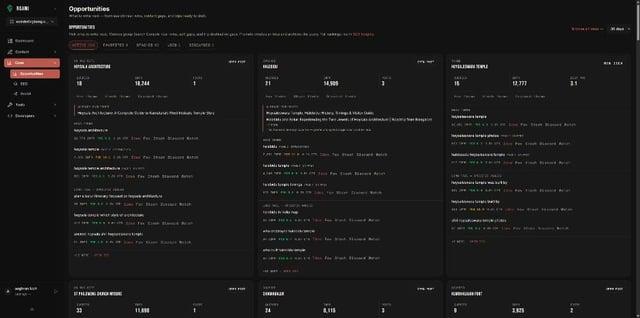
You can connect an AI agent to WordPress today. The real question is which safeguards you need, and whether your CMS can provide them.
Key takeaways
- No, not always. WordPress now has an Abilities API and a MCP adapter, and plugins already let Claude draft posts.
- The question is what safeguards you want: approval before publish, a preview before bulk changes, and limits on what the agent can touch.
- If you are happy with your CMS and your blog is small, add an agent there first.
- If you want the agent, the audit loop and the publish gate designed as one system, a CMS built for it is easier.
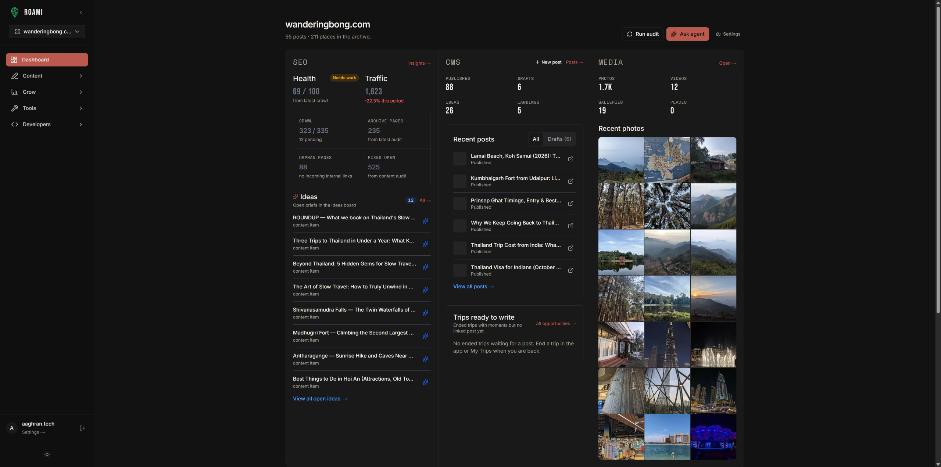
What can you do without switching?
On WordPress, third-party plugins expose your site over MCP so Claude can list posts, draft content and edit meta descriptions. One such guide says the connection uses WordPress Application Passwords instead of your main password, new posts default to draft, and deleted content goes to trash. It also says Claude needs admin-level access and recommends testing on a staging site. The same guide doesn't describe an approval step before changes, publishing restrictions, rollback beyond trash, or how to limit what admin-level access covers.
WordPress core is moving in the same direction. The Abilities API is a registry where core, plugins and themes register what they can do, each with input and output schemas and a permission callback, so agents can discover and run them. It supports annotations like read-only and destructive.
What should you check before connecting an agent to any CMS?
| # | Question | Why |
|---|---|---|
| 1 | Can it publish? Can you stop it? | The biggest risk |
| 2 | What permission does it get? | Admin-level access is broad |
| 3 | Is there a preview before bulk edits? | Mistakes multiply |
| 4 | Is there an undo or audit trail? | Trash isn't an audit log |
| 5 | Does it know anything about search? | Without Search Console it guesses priorities |
| 6 | How does the connection authenticate? | OAuth with short-lived tokens beats a pasted password |
The MCP authorization spec says authorization servers should issue short-lived access tokens to reduce the impact of leaked tokens.
What does Roami do on those six?
| # | Roami |
|---|---|
| 1 | Agents can draft and edit; the API and MCP refuse to publish |
| 2 | Calls take a project id, so you scope by project |
| 3 | Bulk metadata fixes have a dry-run preview |
| 4 | Drafts stay drafts until you publish; ask your agent for a list of what it changed |
| 5 | Search Console tools are built in |
| 6 | Sign-in uses OAuth. See Connect Claude |
Who should stay put?
- You have a small WordPress blog with a theme you love.
- You mostly need per-post SEO help. See Roami vs SEO Plugins.
- You don't plan to run bulk fixes.
Who should consider switching?
- You maintain a large archive and want audits and fixes through an agent.
- You want to enforce human publishing at the API.
- You're starting a new site and want it agent-ready from day one.
A decision flow
- Do you already have a blog you like? If no, start on a platform designed for agents.
- If yes: does the platform let you connect an agent with draft-only access and a preview step? If yes, stay and add an agent.
- If no: can you add those safeguards with plugins and staging? If yes, do that.
- Otherwise, try Roami on a new project alongside the old site before deciding anything.
How hard is the move?
Migration cost is real: URLs, redirects, images and SEO fields all need care. Do not move without a redirect plan. A safe approach is a pilot: create a new project, move five posts, compare results, then decide.
| Migration item | Why it matters |
|---|---|
| URLs and redirects (301) | Preserve rankings and links |
| Images and alt text | Media library has to be recreated |
| SEO fields | Slug, title, description, keywords |
| Internal links | Update to new URLs |
| Search Console | Re-verify the property |
Frequently asked questions
Can an agent publish on WordPress? Depends on the plugin and its permissions. Check before you connect.
Do I need to code? No for the Claude connector steps.
Is a staging site necessary? Recommended by at least one WordPress MCP guide.
Try it
Try Roami on a new project alongside your current site.
Sources (checked 18 Oct 2026)
Next step: connect an agent, or audit your archive first.
Drafted with an agent in Roami, edited and published by Aaghran. This blog runs on Roami.