
One Article, a Week of Social Posts
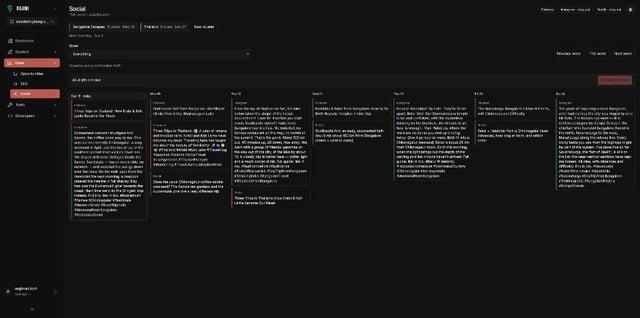
Key takeawaysA social cluster groups a hub article with related posts so launch drafts can be generated across a week.In Roami, creating a cluster doesn't...
19 October 2026 · 3 min read
Key takeaways
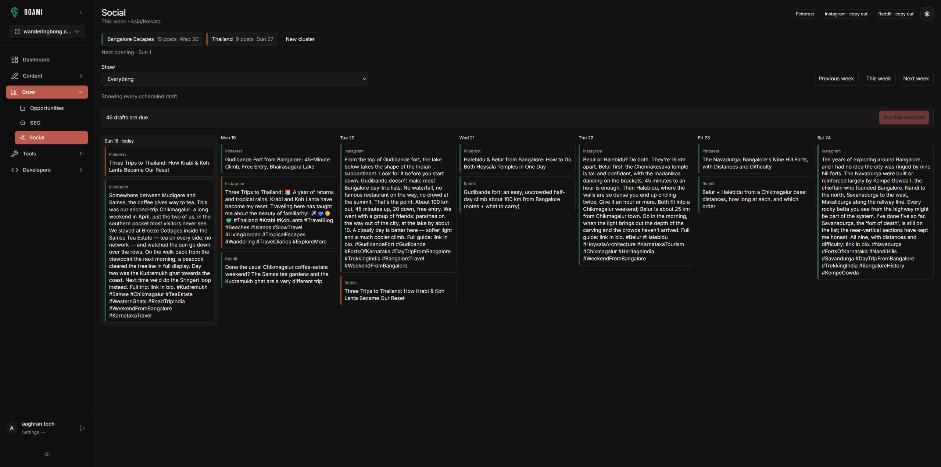
- A social cluster groups a hub article with related posts so launch drafts can be generated across a week.
- In Roami, creating a cluster doesn't generate or publish anything. Starting it generates launch drafts, and a project goal must be set first.
- Send-to-socials works from a published post. Drafts can be edited and rescheduled before they go out.
- You review every draft. Social drafts are not published by the agent.
Why a cluster, not one post?
A single announcement lasts a day. A week lets you show different angles of the same article: the main point, a detail, a photo, a question, a link to a related post. It also lets you link out to the supporting posts in your cluster.
What does Roami do?
The tools, as documented in their descriptions:
| Tool | What it does |
|---|---|
set_social_goal | Records the project's goal; needed before starting a cluster |
create_social_cluster | Creates a cluster with a name and hub post; does not generate drafts or publish |
set_social_cluster_posts | Replaces cluster membership with the posts you choose |
start_social_cluster | Generates launch drafts for the hub and post list; does not publish |
send_post_to_socials | Creates a social pack from a published post and generates launch drafts for enabled channels; returns the existing pack if one exists |
list_social_week | Shows the week's campaigns |
update_social_draft | Edits a draft |
reschedule_social_draft | Moves a draft in the calendar |
get_social_setup | Shows which channels are set up |
A weekly pattern
| Day | Angle |
|---|---|
| 1 | The headline point of the article |
| 2 | A surprising detail or number |
| 3 | A photo with a short story |
| 4 | A question to your audience |
| 5 | A link to a related post in the cluster |
| 6 | A mistake or tip |
| 7 | A recap or roundup link |
This is a template, not a rule. Cadence depends on your audience and channels.
How to run it
- Publish the article yourself.
- Set or confirm the project goal.
- Ask: "Create a social cluster for [article] with these supporting posts: [list]. Start it and show me the drafts."
- Edit each draft in your voice. Remove anything you wouldn't say.
- Reschedule to suit your audience.
- Check results after a week.
Create a social cluster named "[article] launch" with hub post [id] and these
supporting posts: [ids]. Confirm the project goal first. Start it, then list
the week's drafts. Do not post anything.
What to check in each draft
| Check | Question |
|---|---|
| Voice | Would you say it? |
| Accuracy | Matches the article? |
| Link | Points to the right post? |
| Disclosure | Present if the post has commercial links? |
| Variety | Not seven versions of the same sentence? |
| Timing | Scheduled when your audience is online? |
Disclose commercial links
If a post includes affiliate links, disclose near the link. The FTC says disclosures should be hard to miss and placed with the endorsement, not buried; "ad" and "sponsored" are acceptable wording. Don't rely on a platform's built-in tool alone.
Measuring a cluster
| Metric | Where |
|---|---|
| Clicks to the article | GA4 (Session source / medium) |
| Which angle worked | Compare drafts by post |
| Follow-on reading | Internal links clicked |
Record the week's result and use it for the next cluster. See Track AI Referral Traffic in GA4 for the GA4 setup pattern. The feature overview is on the social product page.
Frequently asked questions
Does the agent post for me? It creates drafts. Posting is your call.
Can I use it before the article is live? send_post_to_socials needs a published post.
Which channels? Those enabled in your social setup; check get_social_setup.
Try it
Try Roami. Related: How One Trip Becomes Three Blog Posts.
Sources (checked 18 Oct 2026)
Next step: connect an agent, or audit your archive first.
Drafted with an agent in Roami, edited and published by Aaghran. This blog runs on Roami.