
Connect Gemini CLI to Your Blog With MCP
Key takeawaysGemini CLI reads MCP servers from ~/.gemini/settings.json (user) or .gemini/settings.json (project).For a remote server use url for SSE or httpUrl...
19 October 2026 · 4 min read
Key takeaways
- Gemini CLI reads MCP servers from
~/.gemini/settings.json(user) or.gemini/settings.json(project). - For a remote server use
urlfor SSE orhttpUrlfor streamable HTTP, never both. - Roami's Gemini endpoint is streamable HTTP (
https://mcp.roami.xyz/mcp), so it useshttpUrl. Claude and Cursor use the SSE endpoint instead. - Run
/mcpinside Gemini CLI to see connection state and tools. Agents can draft; only you publish.
The short version of this setup lives on the Roami for Gemini page; this guide goes deeper on config and troubleshooting.
Where do I configure it?
Per the Gemini CLI MCP documentation (geminicli.com), servers go under the mcpServers object in settings.json. The user-level file is ~/.gemini/settings.json; the project-level file is .gemini/settings.json.
| Scope | File | Use it for |
|---|---|---|
| User | ~/.gemini/settings.json | A personal blog you work on from anywhere |
| Project | .gemini/settings.json | A blog tied to one repo |
Which key do I use: url or httpUrl?
| Key | Transport | Use when |
|---|---|---|
url | SSE | The server exposes an SSE endpoint |
httpUrl | Streamable HTTP | The server exposes a streamable HTTP endpoint |
Use one, not both. Roami documents two endpoints on its developers page: https://mcp.roami.xyz/sse (SSE, for Claude and Cursor) and https://mcp.roami.xyz/mcp (streamable HTTP, for Gemini). So for Gemini:
{
  "mcpServers": {
    "roami": {
      "httpUrl": "https://mcp.roami.xyz/mcp"
    }
  }
}
If you prefer the command line, the Gemini docs show an equivalent form with --transport http:
gemini mcp add --transport http roami https://mcp.roami.xyz/mcp
The docs also list an optional timeout and headers; you don't need headers for the sign-in flow.
Check on your machine: if the connection shows DISCONNECTED, confirm you used
httpUrlwith the/mcppath, noturlwith/sse.
How does sign-in work?
For remote servers you can usually leave OAuth settings out. According to the Gemini docs, when a server returns 401 the CLI discovers the OAuth endpoints, may register a client dynamically, opens your browser for sign-in, and stores the tokens. If you need to re-authenticate, run /mcp auth to list servers that need it or /mcp auth roami for this one.
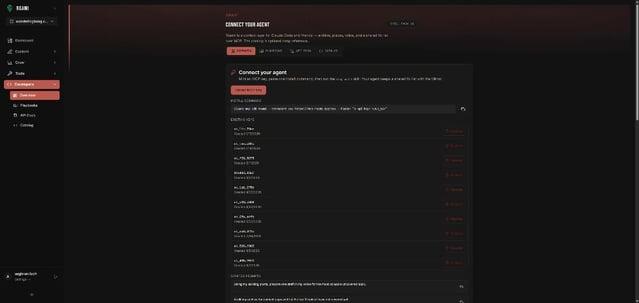
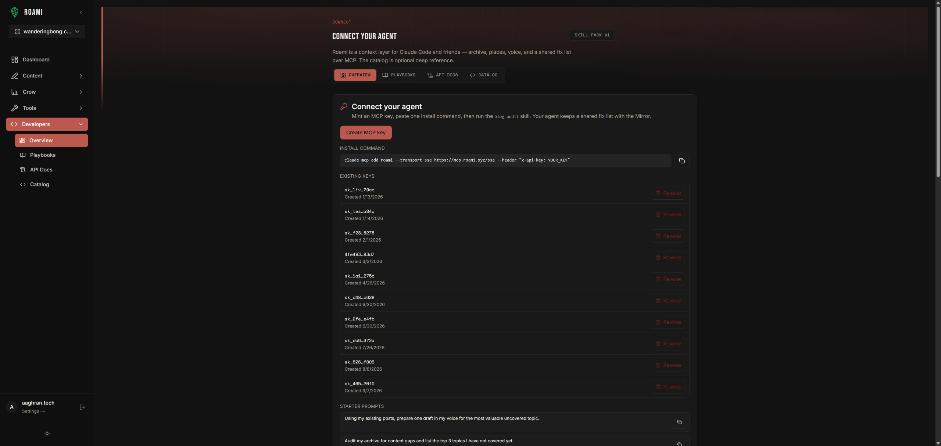
One catch: OAuth needs a local browser and a localhost callback. The docs say it will not work in headless environments, remote SSH sessions without X11 forwarding, or containers without browser support. Do the first sign-in on a machine with a browser. If you can't, Roami's developers page describes a self-serve MCP key (Developers → Create MCP key) sent as an x-api-key header; keep it out of any file you commit.
Step by step
| # | Step |
|---|---|
| 1 | Open (or create) the settings file for your scope |
| 2 | Add the roami entry above |
| 3 | Start Gemini CLI |
| 4 | Run /mcp and look for roami and its tools |
| 5 | Run /mcp auth roami if it needs sign-in |
| 6 | Ask: "List my Roami projects." |
How do I check the connection?
- Inside Gemini CLI, run
/mcp. It lists each server with a state (CONNECTED,CONNECTINGorDISCONNECTED), its configuration summary and its tools. - From the shell,
gemini mcp listshows connection errors.
Then try: "List my Roami projects." If you see projects, you are connected.
Prompts to try
| Goal | Prompt |
|---|---|
| Look | "Search my Roami content for posts about <topic>." |
| Draft | "Draft a post titled <title> in my <project> project." |
| Prioritize | "Show queries that are almost ranking and propose which post to update." |
| Audit | "Audit metadata for <project> and preview fixes. Don't apply." |
Everything it writes arrives as a draft. Roami returns 403 Agents can draft and edit. Only you can publish. if any agent tries to publish, and Gemini is no exception. Gemini support was added on 13 September 2026. See Why AI Agents Should Not Publish.
Troubleshooting
| Symptom | Check |
|---|---|
DISCONNECTED in /mcp | Use httpUrl with https://mcp.roami.xyz/mcp, not url with /sse |
| Sign-in never opens | You are probably headless. Authenticate on a desktop, or use a key |
| Wrong project | Name it in every prompt |
| Config ignored | Confirm which settings file (user vs project) you edited |
Frequently asked questions
SSE or streamable HTTP? Use whichever the server documents for your client. For Gemini, Roami documents streamable HTTP.
User or project settings? User for a personal blog, project if a repo owns the blog.
Is a key required? No. OAuth sign-in works. Keys exist for developers and headless setups.
Try it
Start with Roami, add the entry above, and run /mcp. Then see Connect Cursor and Connect Claude.
Sources
- Gemini CLI: MCP servers, checked 18 Oct 2026.
- Roami developers page, checked 18 Oct 2026.
Next step: connect an agent, or audit your archive first.
Drafted with an agent in Roami, edited and published by Aaghran. This blog runs on Roami.