
10 Starter Prompts for Running a Blog From Claude
Key takeawaysGood blog prompts name the project, the outcome and the limit: "don't change anything yet".Start read-only, then draft, then apply fixes after a...
19 October 2026 · 3 min read
Key takeaways
- Good blog prompts name the project, the outcome and the limit: "don't change anything yet".
- Start read-only, then draft, then apply fixes after a dry run.
- Every prompt below ends in a draft or a report. Claude can't publish through Roami.
- Replace the bracketed parts with your own project and topic.
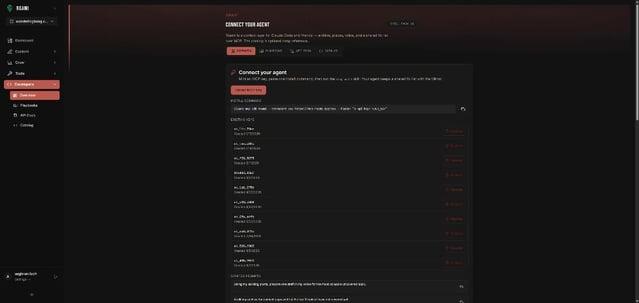
Before you start, connect Claude: Customize → Connectors → + Add → Add custom connector, URL https://mcp.roami.xyz/sse, then sign in. Full steps: Connect Claude to Your Blog in 5 Minutes. Claude's help center notes you can toggle connectors per conversation and turn individual tools off, so keep write tools off when you only want to look.
The anatomy of a good blog prompt
| Part | Example |
|---|---|
| Project | "In [project], …" |
| Task | "find pages with high impressions and low CTR" |
| Limit | "don't change anything", "preview only", "save as drafts" |
| Output | "return a table with URL, position and proposed title" |
The prompts
1. Smoke test — checks the connection.
List my Roami projects.
2. Know the library — read-only.
In [project], search for posts about [topic] and tell me which overlap. Don't change anything.
3. Find the quick wins — read-only.
Show queries in [project] that rank between positions 8 and 20 with real impressions, and tell me which post each belongs to. See Striking-Distance Keywords.
4. Fix low CTR — preview.
Find pages with high impressions and low CTR. Propose new titles and meta descriptions as a preview only. See Low CTR, High Impressions.
5. Audit hygiene — read-only.
Audit content hygiene and media hygiene for [project]. Group the results by severity. Don't fix anything.
6. Apply fixes safely — write, after preview.
Preview the metadata fixes for the top 10 pages. When I say OK, apply them.
7. Link related posts — preview, then write.
Find similar posts to [post title] and suggest internal links with anchor text that reads well out of context.
8. Draft from notes — creates a draft.
Create a draft titled [title] in [project] from the notes below. Use only these facts. Flag anything you'd need to confirm. [paste notes]
9. Plan from search data — read-only.
Using Search Console data for [project], suggest five posts I should write next and why.
10. Social follow-up — creates drafts.
Create a social cluster from [post title] with a week of posts. Leave them as drafts.
Which prompts change things?
| # | Reads | Previews | Writes |
|---|---|---|---|
| 1, 2, 3, 5, 9 | ✔ | ||
| 4, 7 | ✔ | ✔ | |
| 6 | ✔ | ✔ (after OK) | |
| 8, 10 | ✔ drafts only |
Why "don't change anything yet" matters
Prompts 2, 3, 5 and 9 are read-only. Prompts 4 and 7 use a preview step. Prompts 8 and 10 create drafts. You approve every change, and publishing happens in the CMS, by you.
A weekly sequence
| Day | Prompt |
|---|---|
| Monday | 5, then 6 on the top 10 |
| Wednesday | 3, then 4 |
| Friday | 9, then 8 for one post |
Make it your own
Save the prompts you reuse. Add the project name so the agent doesn't have to guess. See Five Blog Agent Playbooks for the sequences, and Scope an Agent to One Project.
Frequently asked questions
Do these work in Cursor or Gemini? Yes, once connected. See Cursor and Gemini.
Will Claude publish my post? No. It returns 403 Agents can draft and edit. Only you can publish.
Do I need Search Console connected? Prompts 3, 4 and 9 do.
Try it
Start with Roami, connect Claude, and run prompt 1.
Sources (checked 18 Oct 2026)
Next step: connect an agent, or audit your archive first.
Drafted with an agent in Roami, edited and published by Aaghran. This blog runs on Roami.