
Revoking an AI Agent's Access to Your Blog
Editor note: Roami-side steps to list or end individual agent sessions are not documented here because I couldn't verify them. Add the exact path from the app...
19 October 2026 · 3 min read
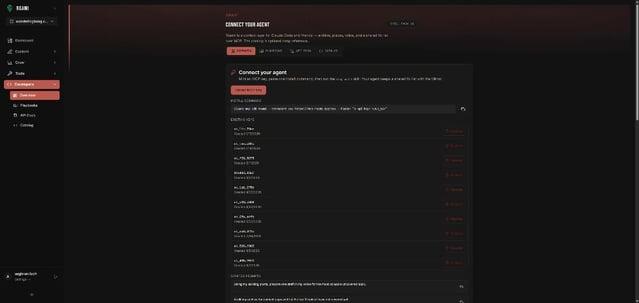
Editor note: Roami-side steps to list or end individual agent sessions are not documented here because I couldn't verify them. Add the exact path from the app if one exists.
Key takeaways
- Two places control access: the AI client (where you remove the connector) and the service you signed in to (where you can review and end the grant).
- In Claude, remove a custom connector from Customize → Connectors.
- Turn off write-capable tools before using features like Research that can call connector tools without further approval.
- The MCP spec asks for short-lived access tokens and refresh-token rotation for public clients, which limits what a leaked token can do.
When should I revoke?
When you stop using a client, change machines, test a new setup, or simply want a clean slate. Revoking is routine hygiene, not an emergency measure.
How do I disconnect in Claude?
From Claude's help center for custom connectors:
- Go to Customize → Connectors (Team and Enterprise owners can use Organization settings → Connectors).
- Find the connector, click Remove or the three dots next to it, and follow the prompts.
To edit a connector, remove it and add it again. To revoke access, disconnect the connector in Claude's settings or in the third-party service's security settings.
Do I need to do anything less drastic?
Often yes. Claude lets you:
| Control | Where |
|---|---|
| Turn a connector off for one conversation | The + menu, then Connectors |
| Turn off individual tools | The "Search and tools" menu |
| Be careful on approvals | "Allow always" only for tools you trust to run unsupervised |
| Disable write tools before Research | Research can invoke connector tools without further approval |
What do tokens have to do with it?
Roami connects via OAuth sign-in rather than a pasted long-lived key. The MCP authorization specification says authorization servers should issue short-lived access tokens to reduce the impact of leaked tokens, and must rotate refresh tokens for public clients. It also requires servers to validate that a token was issued for them and to reject invalid or expired tokens with HTTP 401. In plain terms: a token is meant to be narrow, time-limited and bound to one server.
| Property | What the spec says | Why it helps you |
|---|---|---|
| Short-lived access tokens | Should be issued | A leaked token expires |
| Refresh token rotation (public clients) | Must be rotated | A stolen refresh token is less useful |
| Audience binding | Servers must validate tokens were issued for them | A token for another service is rejected |
| 401 on invalid/expired tokens | Required | Clear failure, not silent access |
What about the publish gate?
Even a connected agent can only draft and edit. Roami returns 403 Agents can draft and edit. Only you can publish. to any publish attempt, so revoking is about data access and drafting, not about stopping surprise publishing. See Why AI Agents Should Not Publish.
Checklist
- Remove the connector in the client.
- Re-open the client and confirm Roami tools are gone.
- If you used other clients (Cursor, Gemini CLI), remove the
roamientry from their config. See Cursor and Gemini. - Review your drafts for anything you don't recognize.
- Reconnect later only in the clients you use.
Per-client removal
| Client | How |
|---|---|
| Claude | Customize → Connectors → Remove |
| Cursor | Delete the roami entry from .cursor/mcp.json or ~/.cursor/mcp.json, or toggle it off under Customize |
| Gemini CLI | Delete the entry from settings.json; use /mcp to confirm |
Frequently asked questions
Will removing the connector delete my drafts? Drafts live in Roami, not in the client.
Can I reconnect later? Yes, add it again and sign in.
Does one removal cover all my clients? No. Each client holds its own connection.
Try it
Try Roami. Related: Scope an Agent to One Project.
Sources (checked 18 Oct 2026)
Next step: connect an agent, or audit your archive first.
Drafted with an agent in Roami, edited and published by Aaghran. This blog runs on Roami.